// CASE STUDY · Plumbing
Plumbed Right: ServiceM8 Job Archive
// THE BRIEF
What they came to us for
Plumbed Right had years of completed jobs locked inside ServiceM8 job cards: work descriptions, internal notes, and just under 19,500 photos and videos of finished work. Finding anything meant opening ServiceM8 and digging through cards one at a time, and the business had no long-term archive it actually owned. They asked us to backfill every historical completed job into Google Drive, archive every new one automatically, keep the photos and videos as original files, and leave the invoices, quotes and PDFs out of it.
// WHAT WE DID
The build
The platform
We built the system on self-hosted n8n running in Docker on infrastructure we manage. No per-task automation fees, and the archive lands in a Google Shared Drive that belongs to Plumbed Right, not to a platform.
Working through the backlog
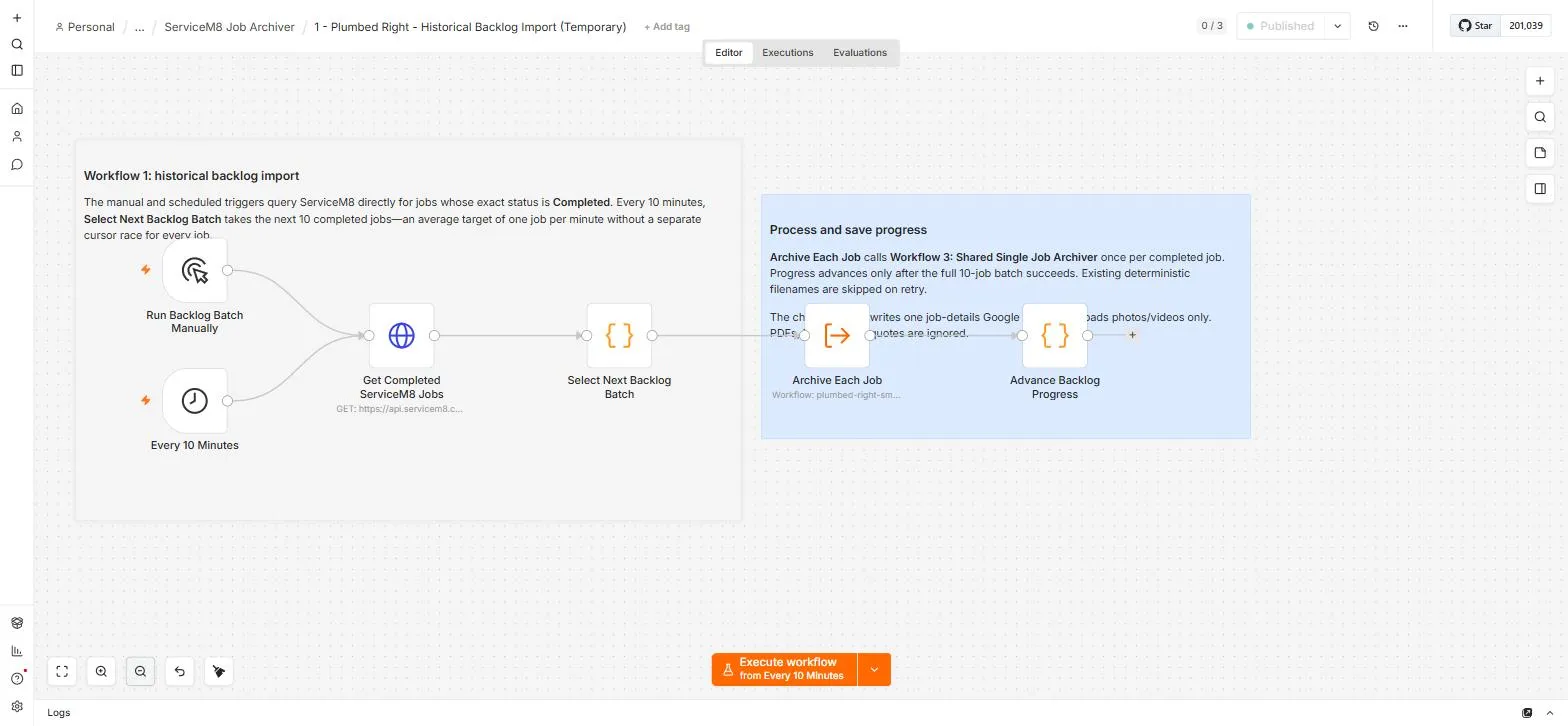
Four workflows share the job. A temporary backlog importer runs every 10 minutes, pulls the full list of jobs with status Completed, and processes the next batch of 10 from where it left off. It waits for each batch to finish before moving its bookmark, so a failed run retries the same jobs instead of skipping them.
Catching every new job
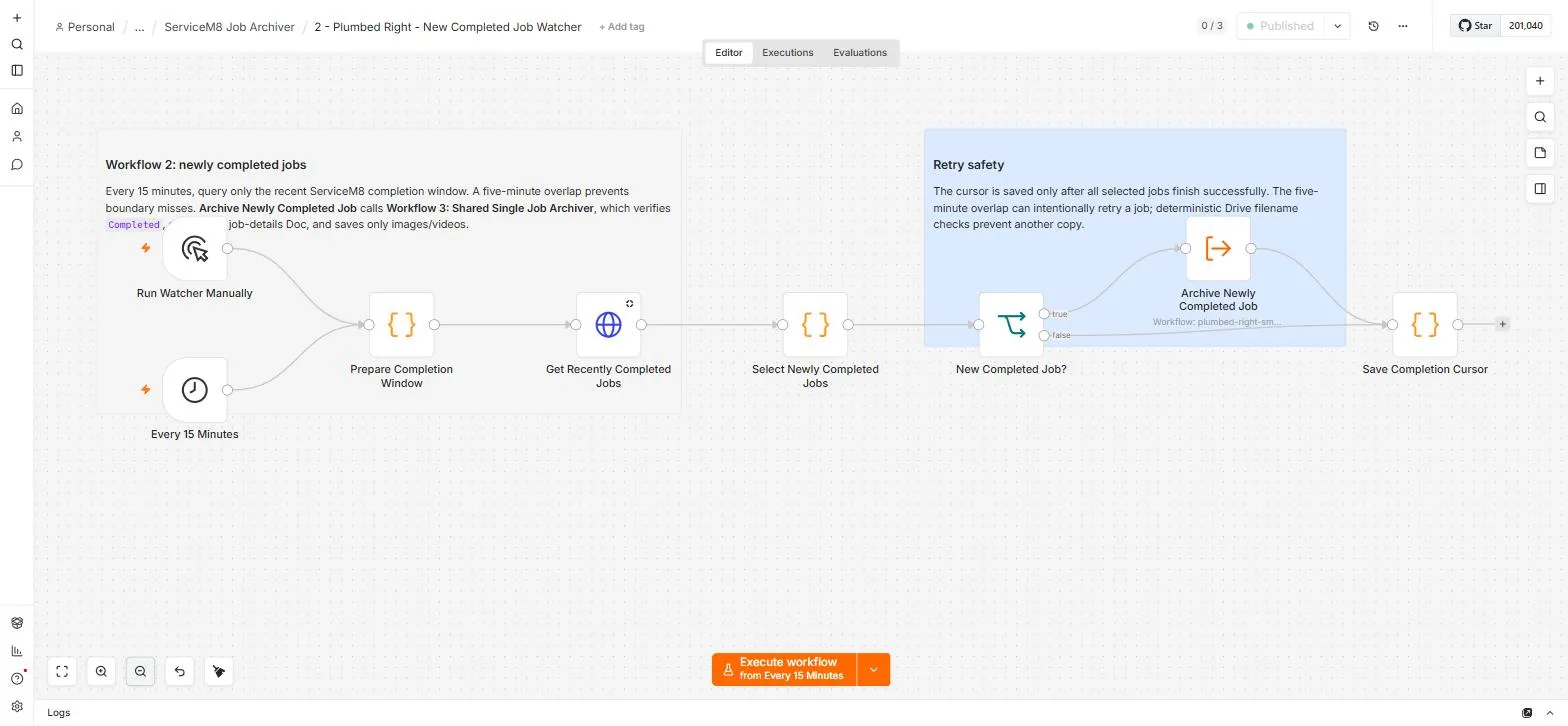
A permanent watcher runs every 15 minutes and picks up newly completed jobs. It checks from its last successful run minus a five-minute overlap, which means a job near the boundary can be detected twice on purpose. The archiver's filename checks make the second pass harmless.
One archiver does the work
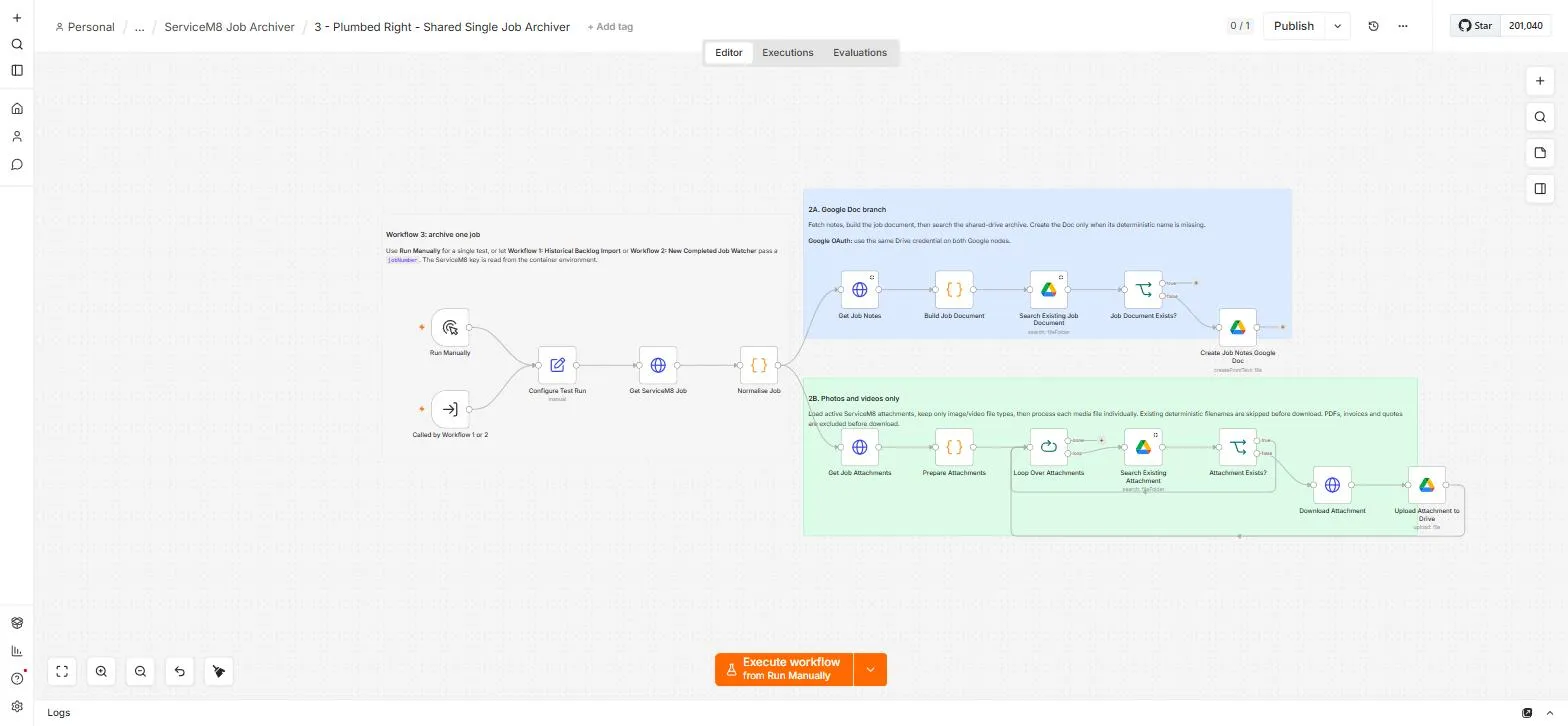
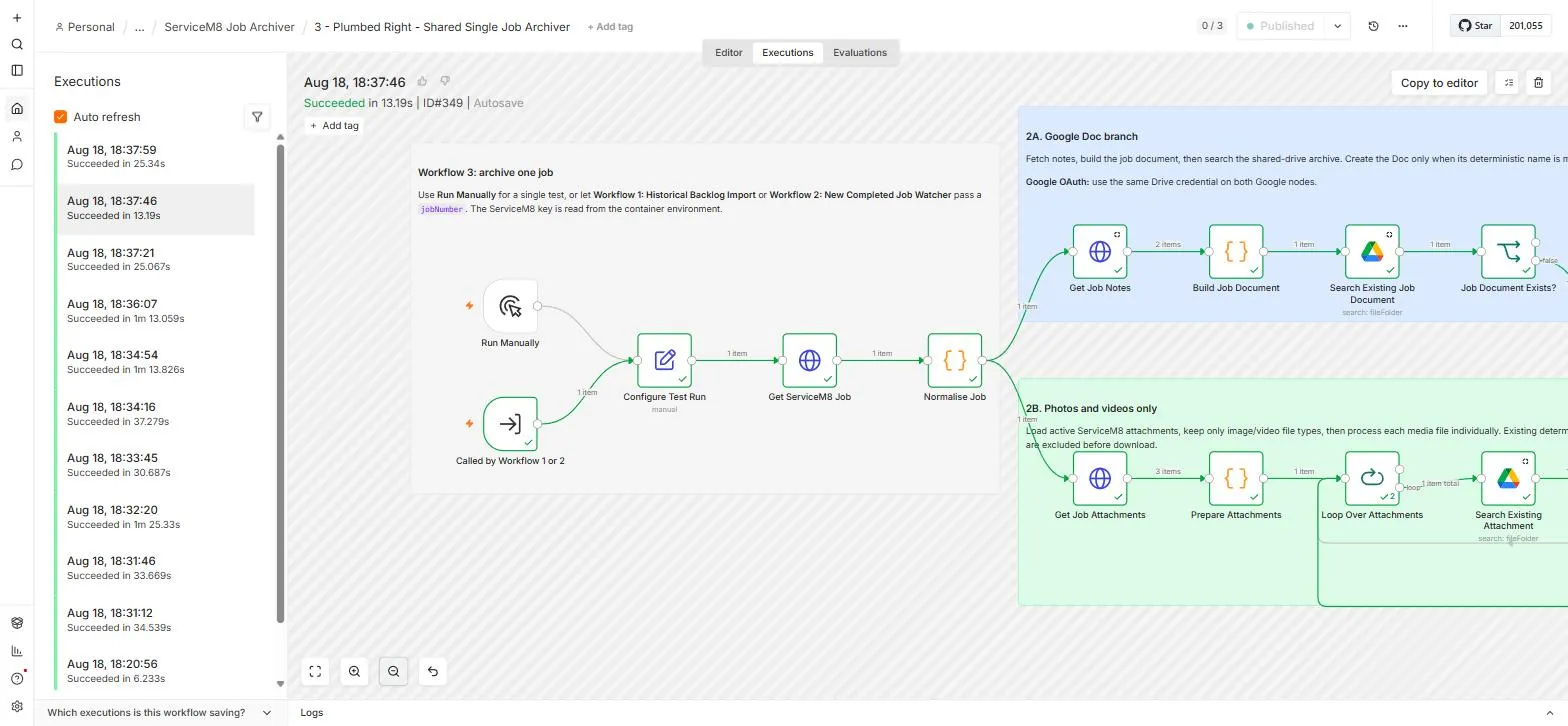
Both schedules call one shared archiver workflow. Per job, it confirms the job is Completed, builds a Google Doc of every job field plus the full internal note history, and copies the photos and videos as original files. PDFs, invoices and quotes are filtered out before download, so the paperwork never touches the archive.
One flat, searchable archive
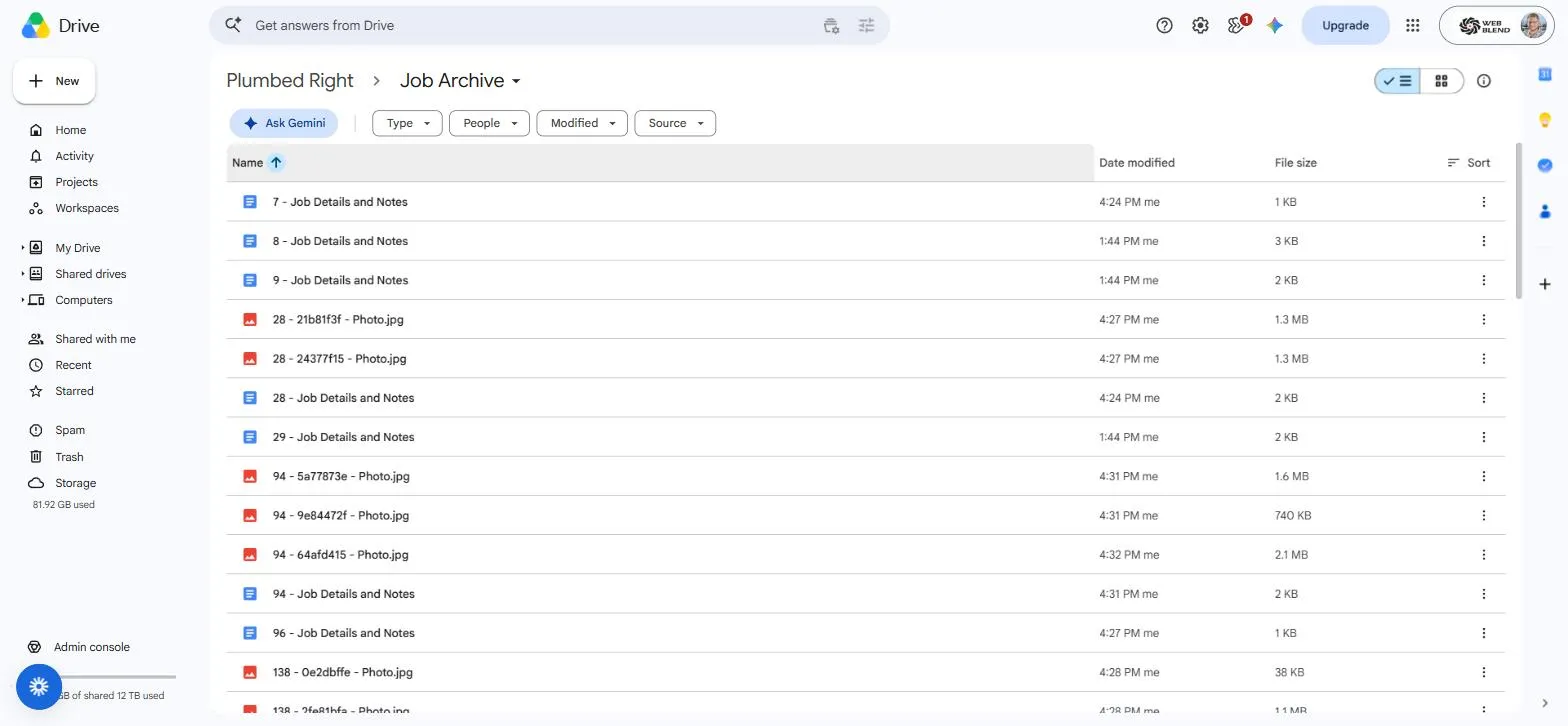
The archive is one flat folder with no subfolders. Every filename starts with the ServiceM8 job number, so typing a job number into Drive search returns everything for that job in one hit. Two real examples:
- 111978 - Job Details and Notes
- 111978 - a64a3ae7 - driveway-before.jpg
Three layers of duplicate protection
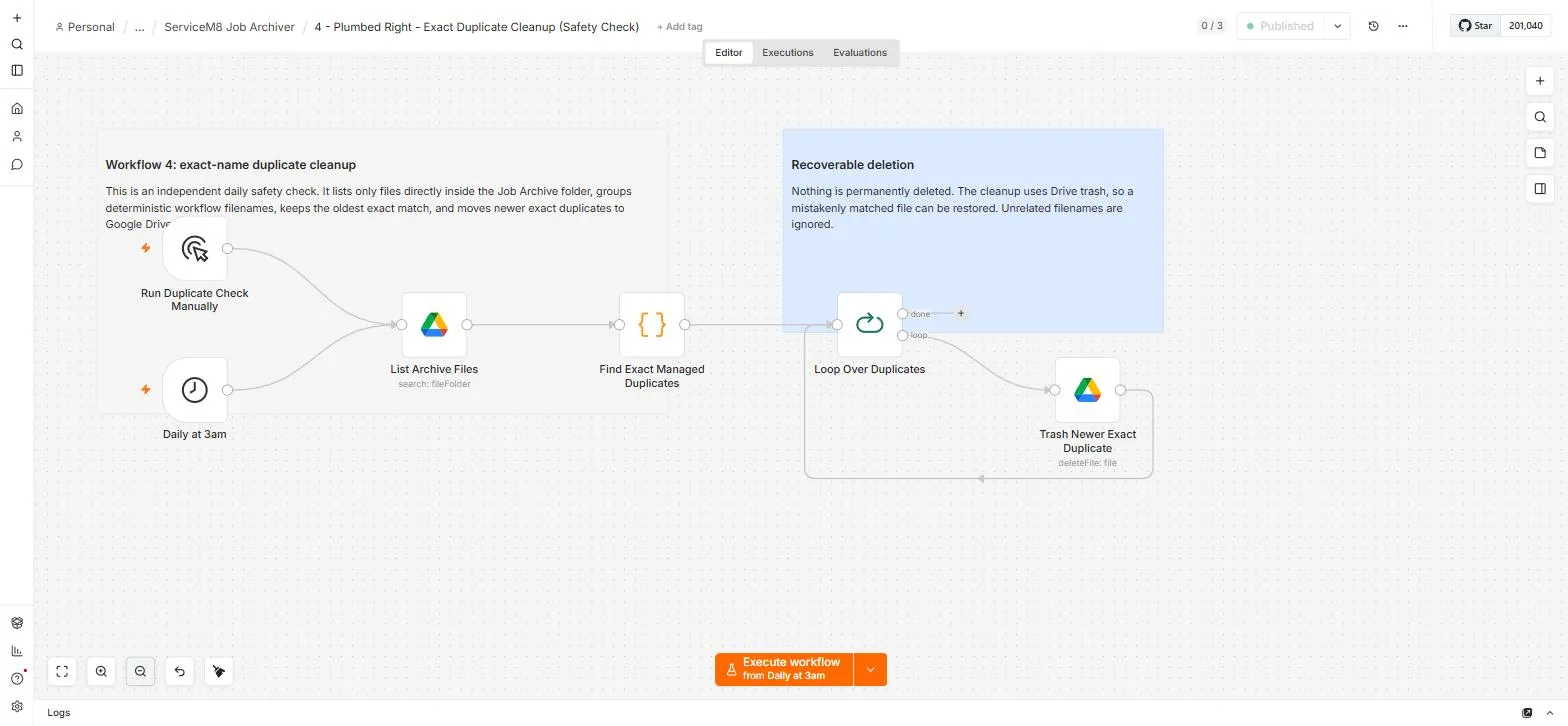
Duplicate prevention runs in three layers: progress bookmarks that only advance after success, exact filename checks before any upload, and a daily 3 am cleanup that moves any newer exact duplicate to recoverable Drive trash. The cleanup's first full audit scanned 1,162 archive files and found zero duplicates.
Verified live before launch
We tested it on live data before switching it on: 10 completed jobs produced 10 job-detail Docs and 37 media files (28 photos, 9 videos), with all 15 PDFs correctly excluded, in 6 minutes 19 seconds. The backfill is now processing at a target of around 1,440 jobs per day, and the watcher archives new completed jobs within 15 minutes.
// EVERYTHING WE SHIPPED
What they got
Archiving system
- Self-hosted n8n instance (Docker)
- Historical backlog importer (temporary, every 10 minutes)
- New completed job watcher (permanent, every 15 minutes)
- Shared single-job archiver workflow
Archive design
- Flat Google Shared Drive archive, searchable by job number
- One Google Doc per job: details plus internal notes
- Photos and videos copied as original files
- Invoices, quotes and PDFs excluded automatically
Safety and reliability
- Three-layer duplicate prevention
- Daily duplicate cleanup to recoverable Drive trash
- Retry-safe design: reruns skip existing files
- Read-only ServiceM8 access, so the automation can never change a job
// UNDER THE HOOD
The four workflows, and the backfill running
// RELATED WORK
Compare ServiceM8 backup and archive options
This project archives selected completed-job records. Compare that scope with a broader export or backup before deciding what your business needs.
Compare ServiceM8 backup and archive options →Counts as at 18 August 2026. The historical backfill is live and processing; new completed jobs archive automatically within 15 minutes.
// SERVICES USED
What went into this build
// READY WHEN YOU ARE
Let's get your phone ringing
Tell us about your business and the jobs you want more of. We'll come back with a plan and a price. No pressure, no jargon.
Get a quote