// SERVICEM8 ARCHIVE OLD JOBS
How to archive old jobs in ServiceM8
Archive old jobs in ServiceM8 and you hit a gap straight away: ServiceM8 has no archive feature for jobs. A completed job stays on its job card, and jobs cannot be deleted either. Here is what the platform actually does with old jobs, the manual options its own docs give you, and the done-for-you build that archives every old job into a Google Drive you own.
// WHAT THE PLATFORM DOES
What ServiceM8 actually does with old jobs
Three documented behaviours explain why searching for a job archive keeps landing on help pages about something else.
The only automatic archiving in ServiceM8 applies to materials: catalogue items unused for about 12 months. Jobs are never archived.
Per the help centre, you never remove or delete jobs. Dead jobs get marked Unsuccessful and stay findable through job search.
That is deliberate: ServiceM8 backs accounts up every 24 hours and keeps old jobs searchable forever. Space is not the pressure either, since ServiceM8 lists unlimited data storage on every plan. The trade-off: your job list only grows, and every photo, video and note stays filed inside its own job card.
// THE MANUAL OPTIONS
The two manual options ServiceM8 gives you
// THE AUTOMATIC OPTION
The archive button ServiceM8 doesn't have, built for you
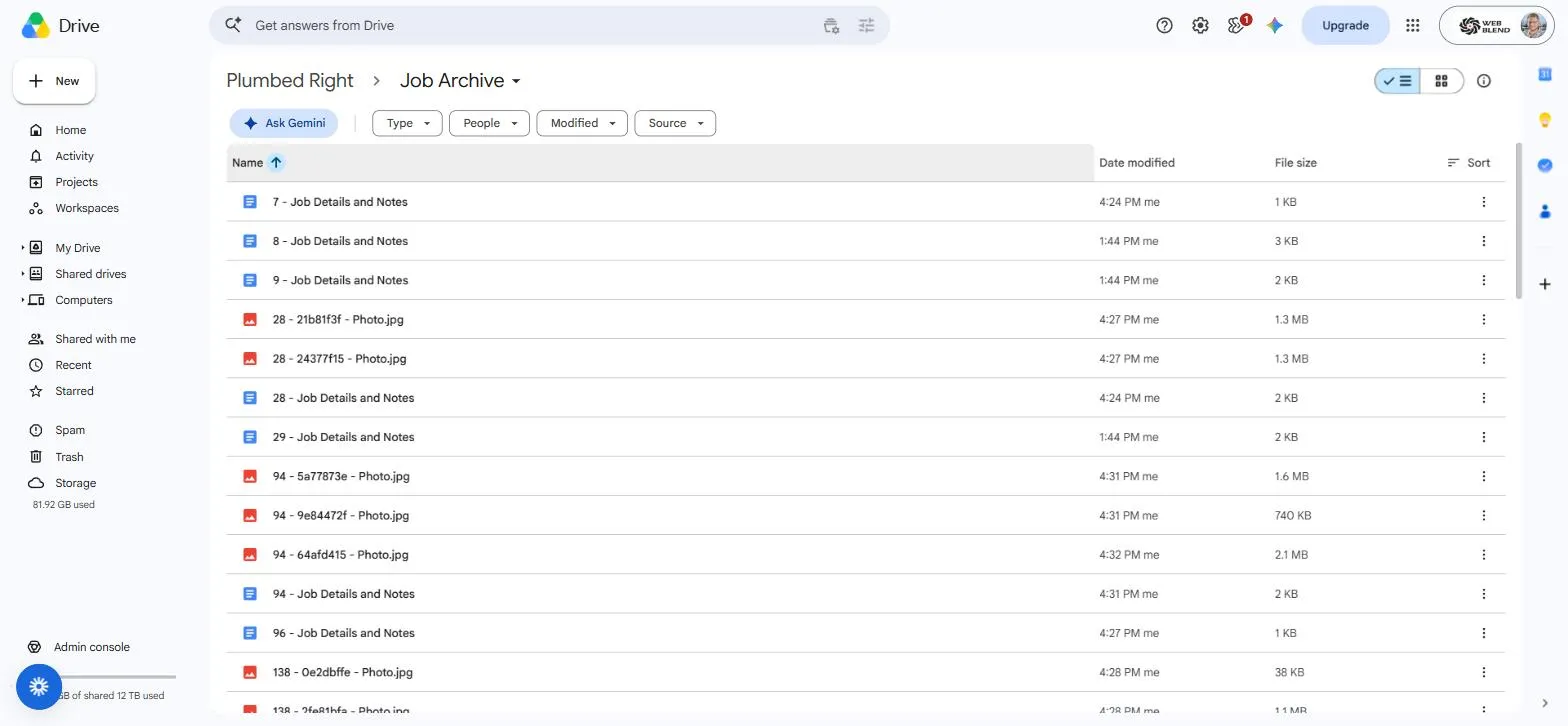
We build the missing piece: a job archive that backfills every completed job into a Google Shared Drive your business owns. One readable Doc per job with the details and full note history, photos and videos as original files, every filename prefixed with the job number so Drive search brings the whole job back in one hit. New completed jobs archive themselves from then on, with zero admin.
Old jobs stay untouched in ServiceM8, because the system holds a read-only API key. It is running today on a real client account with more than 5,000 completed jobs archived. Full detail, safety design and pricing are on the ServiceM8 backup page, and it sits alongside the rest of our ServiceM8 setup and automation work.
// QUESTIONS
Straight answers on archiving old jobs
Not sure whether the native backup already covers you, or what an archive would change day to day? Ask us directly and we'll give you a straight answer.
Get in touchDoes ServiceM8 have an archive feature for old jobs?
No. The archiving described in ServiceM8’s help centre is automatic archiving of materials: catalogue items that have not been used on a job card for around 12 months. Jobs themselves are never archived. A completed job stays on its job card, and the closest native options are marking a dead job Unsuccessful or downloading an account backup.
Can I delete old jobs in ServiceM8 instead?
No. ServiceM8’s help centre is direct about it: you never remove or delete jobs. A job that is not going ahead gets its status set to Unsuccessful on the Dispatch Board, drops off the board after 48 hours, and stays findable through job search if the client comes back. That design also means your record of won and lost work stays complete.
Is the account backup download enough of an archive?
It depends on the job you need it to do. The documented shape: Settings, then ServiceM8 Account, then Download Account Backup produces a zip of client details, job details, notes, photos and attachments, it can run at most once every 24 hours, and the backup is for reference only; it cannot be imported into a new or separate ServiceM8 account. As a compliance snapshot, that works. As a searchable, continuously updated archive your office actually uses, it is a manual chore that goes stale the day after you run it.
Will archiving old jobs remove them from ServiceM8?
No. Our archive build holds a read-only ServiceM8 API key, so it can copy job details, notes, photos and videos out, and it can never change, delete or lock a job. Every old job stays in ServiceM8 exactly as it is; the archive is a complete second copy in a Google Drive your business owns.
// READY WHEN YOU ARE
Get your old jobs archived somewhere you own
Tell us roughly how many completed jobs are sitting in your ServiceM8 account and we'll come back with a fixed price for archiving every one of them. No pressure, no jargon.
Get a quote