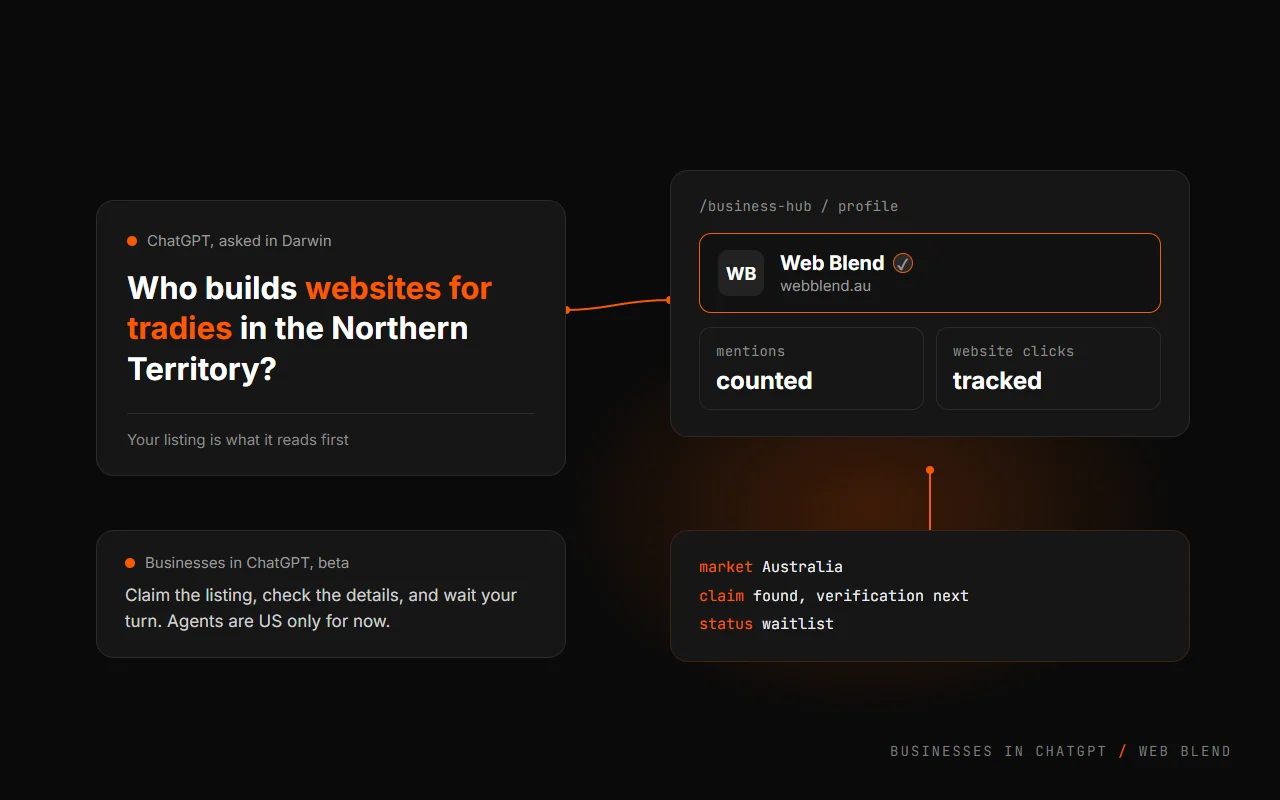

Businesses in ChatGPT is an OpenAI beta that lets you claim your listing, fix its details and see how often ChatGPT mentions you. Australian businesses can start a claim, but many land on a waitlist.
- Launched in beta on 10 November 2026. You claim through Business Hub at chatgpt.com/business-hub, inside your ChatGPT account.
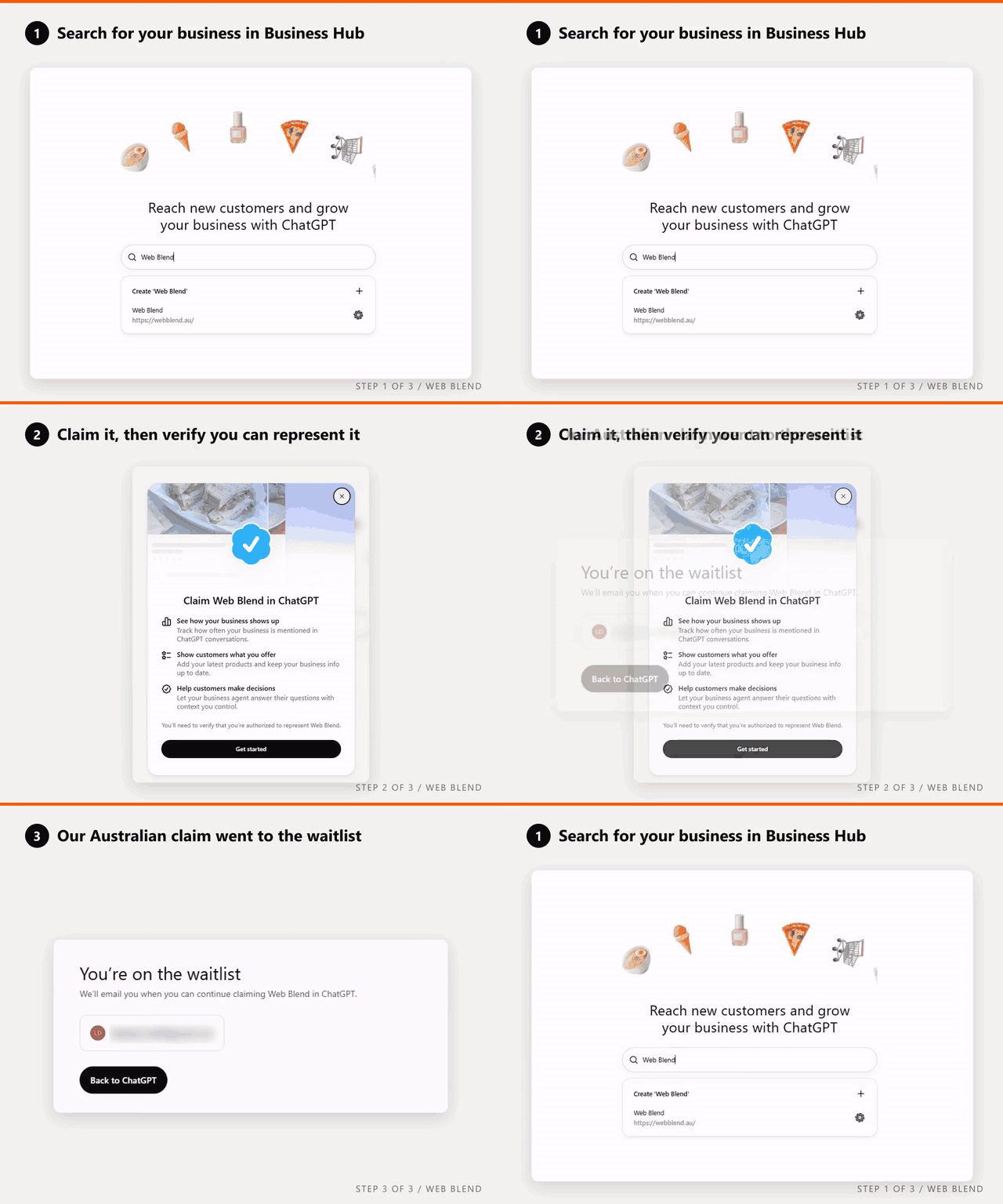
- We searched for Web Blend from Australia, found our listing, started the claim and were placed on the waitlist.
- Verified owners can edit their details, add products and see mentions, website clicks and discovery topics for the past 28 days.
- Claiming does not lift you in ChatGPT's answers and needs no ads account. It makes sure ChatGPT has your correct details.
- Business Agents, the chat assistant for your business, are limited to eligible US online businesses for now.
- Local stores can currently only claim existing US listings, so most tradies should try the claim and fix their website meanwhile.
Keep asking about it in
Quick answer: OpenAI launched Businesses in ChatGPT in beta on 10 November 2026. It lets you claim your business’s listing in ChatGPT, keep the details correct, add products and see how often ChatGPT mentions you. You do not need an ads account, and you start at chatgpt.com/business-hub. From Australia, you can search for your business and start a claim, but expect a waitlist: that is exactly where our own claim for Web Blend ended up. The chat assistant part, called a Business Agent, is US only for now.
Here is the whole process as we went through it, from searching for Web Blend to the waitlist screen:
What is Businesses in ChatGPT?
Think of it as a Google Business Profile for ChatGPT. OpenAI says 1.2 billion people use ChatGPT each week, and plenty of them ask it for a web designer, a plumber or where to buy something. It answers using what it can find about you. Until now you had no say in that. Businesses in ChatGPT gives the owner a way in.
OpenAI’s announcement splits it into two parts:
- Business Hub is where you claim your business, update its details, add product feeds and see insights. It lives inside ChatGPT, in the sidebar or at chatgpt.com/business-hub.
- Business Agents are assistants a business builds to answer customers’ questions inside ChatGPT, using information the business provides. When your business appears in an answer, a customer can open your profile and choose to chat with your agent. For now an agent explains products and policies and links to your website: it cannot take bookings, complete purchases or check orders. Agents are limited to eligible ecommerce and online service businesses in the United States.
The claim screen we saw sums up the three promises well: see how your business shows up, show customers what you offer, and help customers make decisions.
Can Australian businesses claim their listing yet?
Some can start, few will finish straight away. OpenAI says any eligible business located where ChatGPT is available can claim through Business Hub, and Australia is one of those places. Its help article adds that the required verification has to be supported where you are, and that availability depends on the business’s location and type.
| What you want to do | Australia, November 2026 |
|---|---|
| Search for your business and start a claim | Yes |
| Finish verification and manage your profile | Rolling out; many claims go to a waitlist first |
| Add a business ChatGPT does not list yet | Eligible online businesses may see an option to add it |
| Claim a local store or restaurant | Not yet: OpenAI says these can currently claim only an existing US listing |
| Build a Business Agent | No, eligible US online businesses only |
| Sponsor a Business Agent in ChatGPT Ads | No, agents are US only |
We are an online service business with a website, which is the group most likely to get through. Even so, ChatGPT found our listing, accepted the claim and then put us on the waitlist with a promise to email when we can continue. Australian agency Dilate landed on the same waitlist. OpenAI’s own pages do not mention the waitlist or say how long it runs, and OpenAI has given no date for expanding to more markets beyond saying it plans to.
How to claim your business in ChatGPT, step by step
You need a ChatGPT account and about two minutes to get as far as the waitlist. The owner should claim, on an account the business controls. The admin who claims can later add teammates and give an agency access, each using their own ChatGPT account, so there is no need to hand your login to anyone.
1. Open Business Hub and search for your business
Open Business Hub from the ChatGPT sidebar, or go to chatgpt.com/business-hub, and search for your business by name. ChatGPT lists the matches it already knows about, with the website underneath. If your business is not listed, an eligible online business may see an option to add it, which is the Create option at the top of the results.
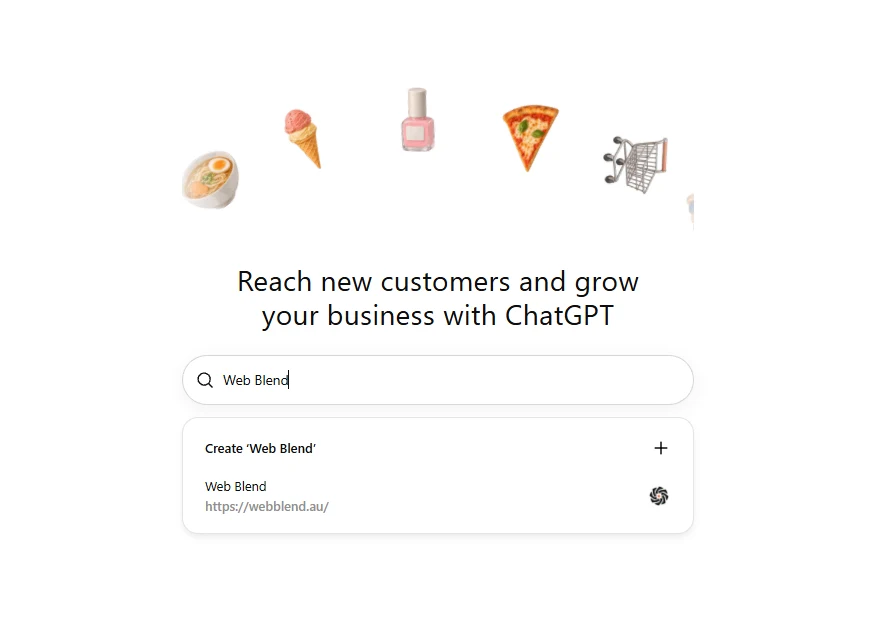
Notice that ChatGPT already had a listing for Web Blend, tied to our website. That listing exists whether you claim it or not. Claiming is about getting a hand on it.
2. Claim it and start verification
Select the listing that matches your business and confirm the ChatGPT account you will manage it from. ChatGPT shows the claim screen, which spells out what you get and that you will need to verify you are authorised to represent the business.
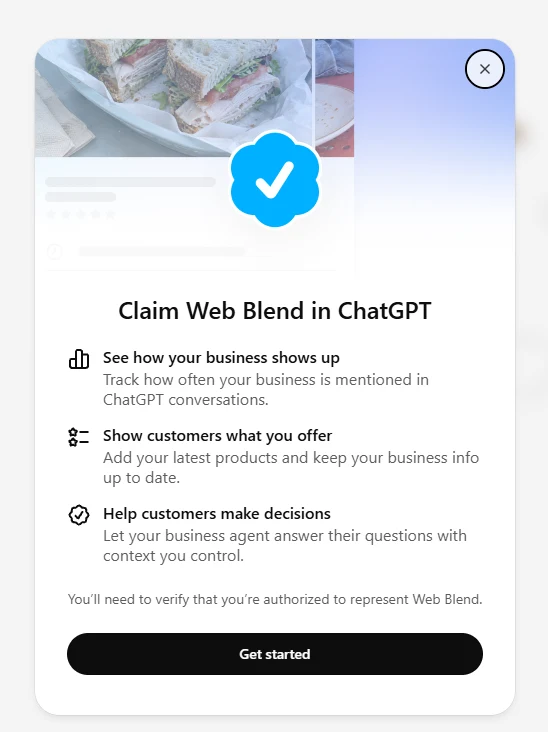
Verification happens in two stages.
- Verify the claim. Choose one of the methods offered: a code by text or automated call to the business phone, a code to the business email address, a TXT record added to your website domain’s DNS, or a Shopify connection. If your web developer manages your domain, they can add the DNS record for you. OpenAI then reviews the claim and emails you its decision.
- Verify your identity with Persona. Once the claim is approved, you complete identity verification with Persona before you can publish changes, view insights or create an agent. Persona may ask for government-issued ID, business registration information and proof that you are authorised to represent the business. OpenAI says the business name, address and any registration or tax number must match your official records. For an Australian business that means your ABN details, so have them and your photo ID ready.
3. Join the waitlist (for now)
If your claim cannot go through yet, you land here. There is nothing more to do: OpenAI emails you when you can continue the claim.
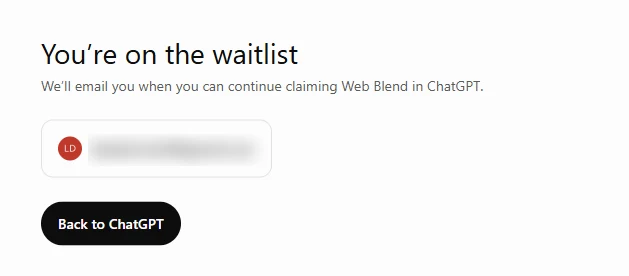
Joining takes a minute and holds your place, so do it now even if you are not sure you will use it.
What you get once you are verified
These are the features the beta offers once both stages of verification are approved.
Your business details. You can update your website, business description, product or service category, logo, delivery policy and return policy, and add a cover photo. OpenAI reviews and publishes the changes, and they can take time to show up in answers.
Products. Businesses that sell products can connect a product feed, including a Shopify feed, to share prices and availability. OpenAI notes that connecting a feed does not guarantee ChatGPT recommends your products.
Insights. Business Hub shows activity over the past 28 days:
- Mentions. For an online business, a mention counts when ChatGPT references your website; your brand name on its own does not count. For a local business, it counts when ChatGPT shows a result for your location, even if the customer never opens it.
- Website clicks. How often people click through to your site.
- Discovery topics. Common themes in the ChatGPT answers that mentioned or cited you. You do not see the customers’ actual questions.
The figures are aggregated, and a blank metric can mean activity has not reached the reporting threshold yet rather than zero. Expect gaps at first if you are a small business, and keep measuring enquiries on your own website, because a click is not a lead.
A verified badge. A blue check appears on your profile once your Persona verification is approved. Claiming alone does not add it.
What claiming does not do
It is worth being clear about this before anyone tries to sell it to you as a ranking trick.
- It does not move you up. OpenAI says claiming does not guarantee more visibility or give you direct control over ChatGPT’s recommendations, and claiming a profile does not change its visibility in ChatGPT. It makes sure the facts are right.
- It is not the only source. ChatGPT may also use other sources when it answers questions about your business, which in practice means your website and what other sites say about you.
- Ads do not change answers. OpenAI says advertising does not influence ChatGPT’s independent answers, and sponsored placements are clearly labelled.
- Customers’ chats stay private. OpenAI does not share people’s conversations, or their chats with a Business Agent, with the business.
- A published profile cannot be pulled. Only unpublished drafts can be deleted, and OpenAI Support cannot delete, unpublish or hide a published profile. If you create a new profile through Persona, approval publishes it automatically, so check the details before you submit.
What Australian trade businesses should do while they wait
Most tradies are local businesses, and OpenAI says local stores and restaurants can currently only claim existing US listings. It does not spell out where a mobile trade business with no shopfront fits, so try the claim and see what you are offered. Either way, the waiting period is a good time to fix what ChatGPT reads today: your website.
- Start the claim anyway. It takes a couple of minutes, and if you land on the waitlist you will hear when access opens up.
- Check what ChatGPT says about you now. Ask it the questions a customer would, such as “who does emergency plumbing in Darwin?”, and note whether you appear and which sources it cites. Our guide to checking whether AI recommends your business sets out a repeatable way to do it.
- Make your website easy to read. Clear service pages, the suburbs you cover, your ABN, phone number and opening hours, all as plain text. The free AI visibility checker shows whether those foundations are in place.
- Let ChatGPT’s search crawler in. If your site or firewall blocks OpenAI’s search bot, ChatGPT cannot read it. Our post on AI search crawlers versus training bots explains which ones to allow.
- Keep your details the same everywhere. Your business name, address and ABN should match on your website, Google Business Profile, directories and the ABN register. That helps ChatGPT, and it is exactly what Persona checks when you verify.
When the claim opens for your business, all of that is already done, and the profile you verify will match what the rest of the internet says about you. We will update this post when Web Blend’s claim gets through the waitlist, with what the next screens look like.