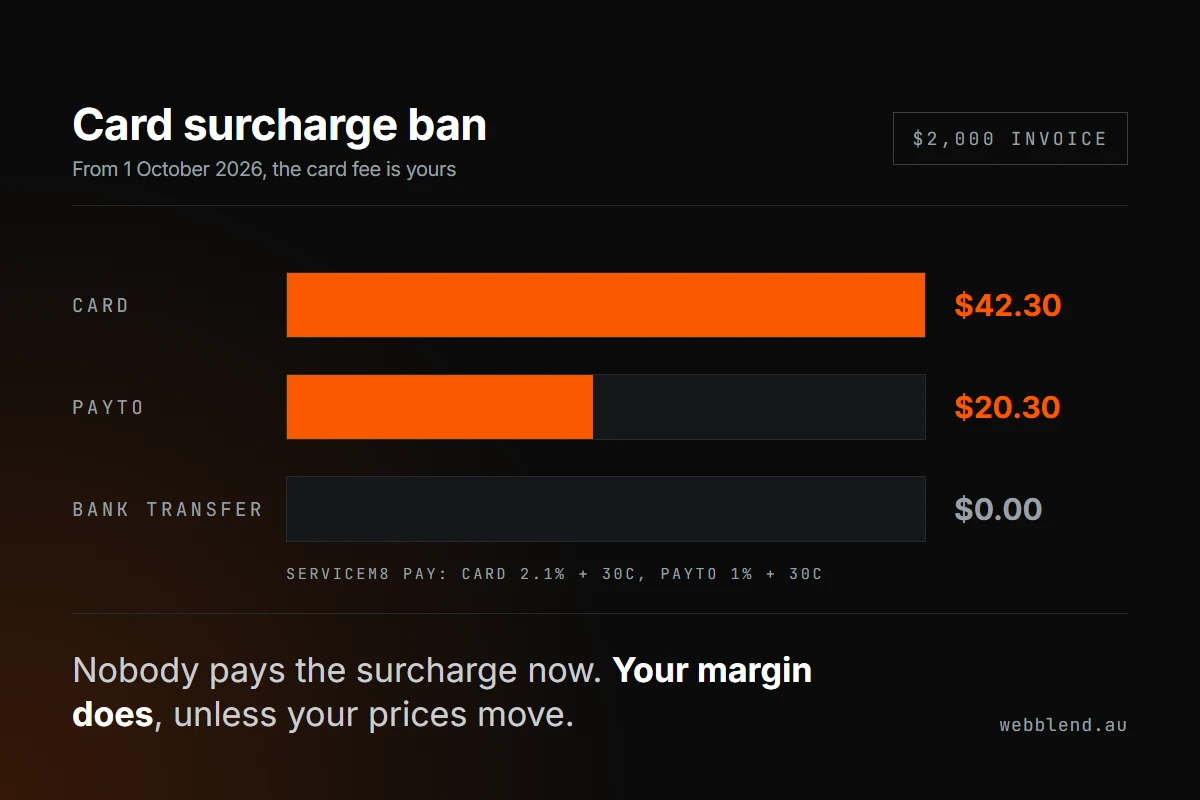

From 1 October 2026, Australian businesses can no longer add a surcharge for paying by eftpos, Visa or Mastercard, and American Express is dropping surcharges on the same date. The card fee doesn't disappear. It moves from your customer's bill onto your margin, so the fix is pricing, payment options and cleaning up your paperwork.
- The RBA confirmed the ban on 31 March 2026. It covers credit, debit and prepaid cards on eftpos, Mastercard and Visa, with Amex following voluntarily.
- Weekend, public holiday and after-hours rates are not affected. Only fees added because someone pays by card are banned.
- ServiceM8 stops adding surcharges automatically on 1 October, and has a wizard to switch on PayTo, cap card payments and raise saved prices in bulk.
- In ServiceM8 Pay, PayTo costs 1% + 30c against 2.1% + 30c for a standard Australian card, so a $2,000 invoice drops from $42.30 to $20.30 in fees.
- Work out your real card cost as a share of revenue before raising prices. A business taking half its revenue by card needs about 1%, not 2%.
- Remove surcharge wording from your website, quote templates, invoice footers and terms before 1 October.
Keep asking about it in
Quick answer: From 1 October 2026, you can’t add a surcharge because a customer pays by card. The ban covers eftpos, Visa and Mastercard (credit, debit and prepaid), and American Express is dropping surcharges on the same date. The card fee still exists, it just comes out of your margin instead of your customer’s pocket. Before the deadline, work out what cards actually cost you, decide whether to raise prices or steer customers toward cheaper payment options, and delete every “card payments incur a surcharge” line from your website, quotes and invoices. If you run ServiceM8, there’s a built-in wizard for most of this. We clicked through it below.
What actually changes on 1 October
On 31 March 2026 the Reserve Bank released the final conclusions paper from its review of merchant card payment costs. It decided surcharges on the designated card networks, eftpos, Mastercard and Visa, are no longer in the public interest. Each of those networks is bringing in no-surcharge rules from 1 October 2026 through its merchant agreements, and American Express has chosen to do the same.
What the ban does cover, per the RBA’s own FAQ:
- Any fee added because the customer pays by eftpos, Visa or Mastercard, whether credit, debit or prepaid.
- In-person payments on a card machine and online payments on an invoice link alike.
What it doesn’t cover:
- Weekend, public holiday and after-hours rates. Your Sunday call-out fee is fine, as long as it applies however the customer pays.
- General service fees that aren’t tied to paying by card.
- Building card costs into your overall prices. The RBA says this is exactly what it expects businesses to do.
- Discounts for paying another way, such as bank transfer.
Interchange caps, the wholesale fees banks charge each other on card payments, are also coming down on the same date. Whether that shows up as a lower rate on your plan depends on your provider, so it’s worth asking.
What this costs a trade business
Surcharging meant card fees were invisible to you. From October they come straight off the job. Here’s the maths using the ServiceM8 Pay rate shown in our own account, 2.1% + $0.30 for a standard Australian card:
| Invoice | Card fee (2.1% + 30c) | PayTo fee (1% + 30c) |
|---|---|---|
| $350 service call | $7.65 | $3.80 |
| $2,000 repair | $42.30 | $20.30 |
| $8,500 hot water or switchboard job | $178.80 | $85.30 |
| $25,000 renovation stage | $525.30 | $250.30 |
Across a year it adds up. A business turning over $600,000 that takes half of that by card pays roughly $6,300 in card fees plus 30c per payment. Last year the customer covered that. This year you do.
The mistake to avoid is raising every price by the full 2.1%. You only lose the fee on revenue that’s actually paid by card. Your real card cost is your card fee multiplied by the share of revenue paid by card. If half your revenue comes in by card, your true cost is about 1% of turnover, not 2%. Pull last quarter’s payments report and work out that share before you touch a price.
The ServiceM8 surcharge wizard, step by step
If you’re on ServiceM8 Pay, a banner appears on the Home tab of the online dashboard:

Review Options opens a four-step wizard: Start, Payment Options, Price Increase and Finish. You need the Business Owner role to see it. Here’s the whole thing, recorded in our own ServiceM8 account (no client data in it):
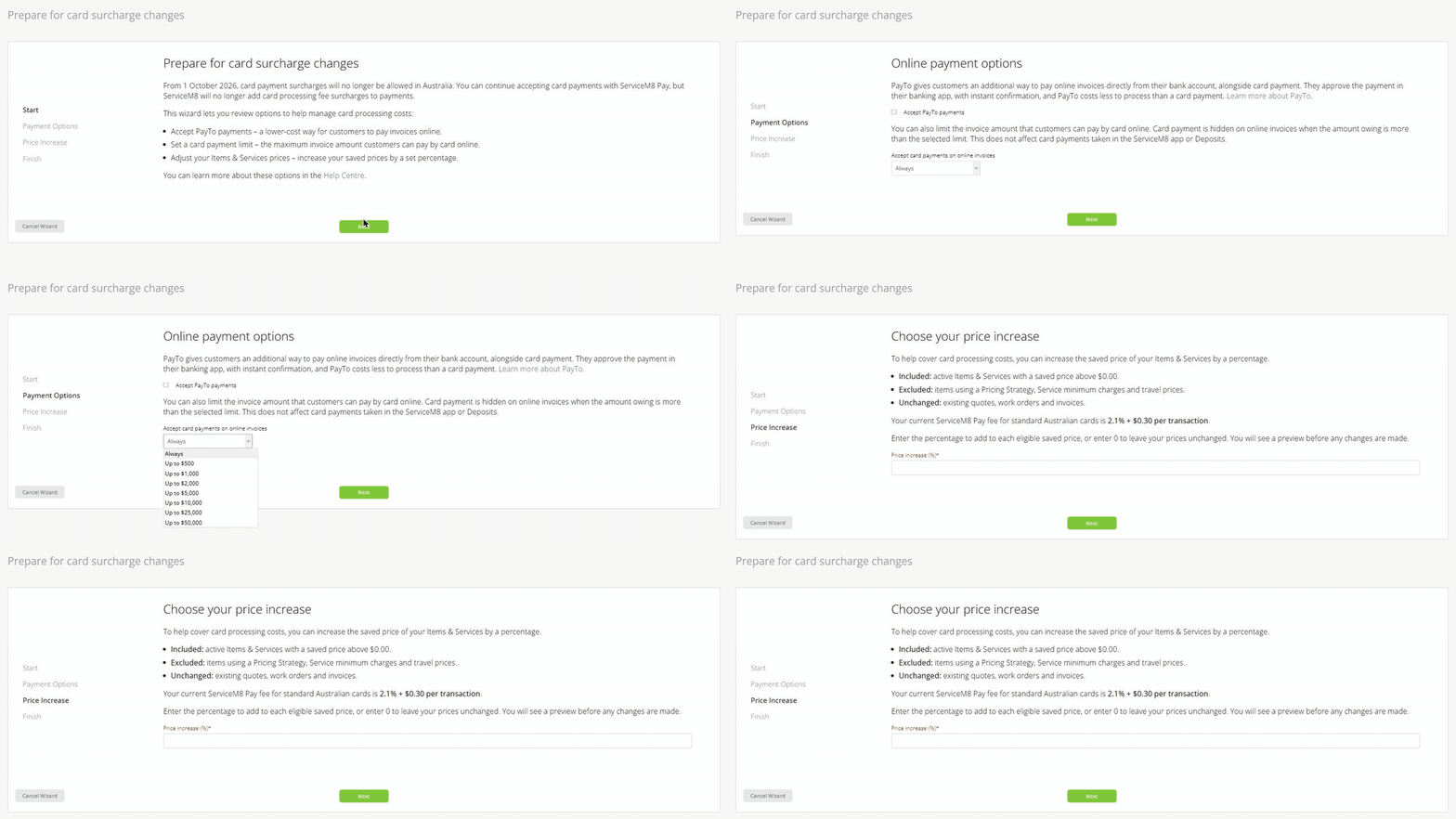
One thing to know first: whatever you do in the wizard, ServiceM8’s help centre confirms it will stop adding card surcharges automatically on 1 October. The wizard is for managing the cost, not for switching the surcharge off.
Step 1: Start
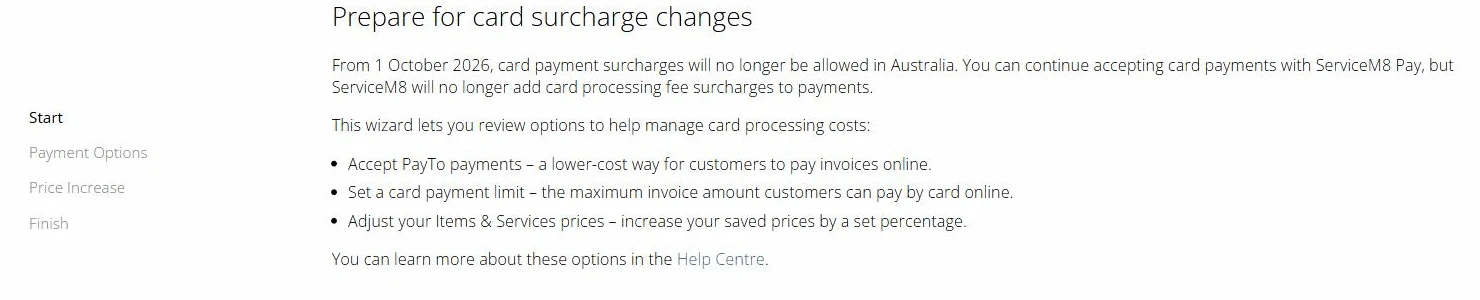
The first screen just sets out the three levers: accept PayTo, set a card payment limit, and raise your saved Items & Services prices by a percentage. Nothing changes until you move on.
Step 2: Online payment options
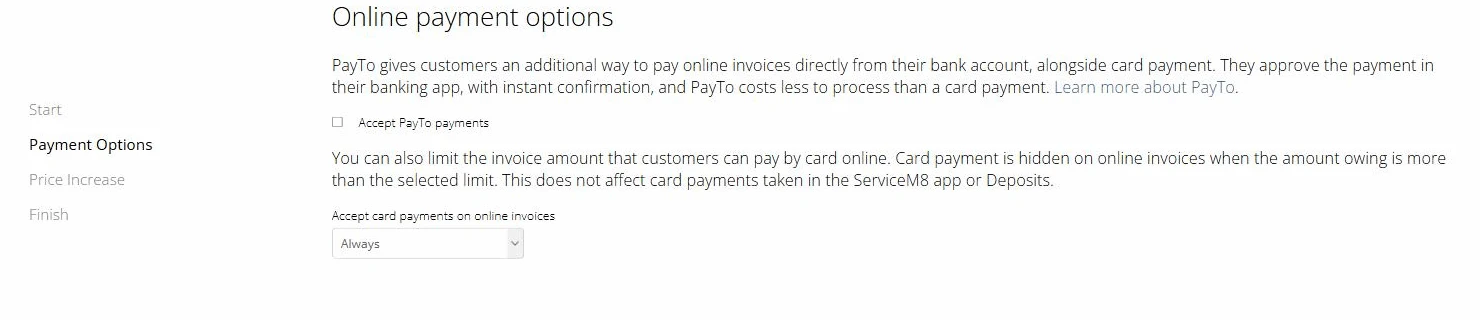
This step has two separate settings.
Accept PayTo payments. PayTo lets a customer pay an online invoice straight from their bank account. They enter their bank details or mobile number, approve the payment in their banking app, and you get instant confirmation with the payment added to the job. ServiceM8 charges 1% + 30c for PayTo, roughly half the card rate, and you can’t surcharge it either. You can also switch it on later under Account, Settings, Preferences, Invoicing, Card Payments.
Accept card payments on online invoices. This is the card limit. Open the dropdown and you get these options:
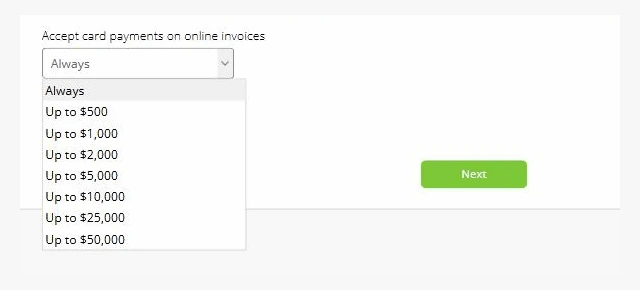
Pick a limit and card payment is hidden on any online invoice where the amount owing is above it. It doesn’t affect deposits, proposals, payments taken in the ServiceM8 app, Scan & Pay, Tap to Pay or automatic payments, and PayTo still shows above the limit when it’s switched on.
For most trade businesses, a limit is the biggest lever in the wizard. A $500 service call on a card costs you $10.80. A $25,000 job costs you over $500. Capping cards at around $5,000 and offering PayTo or bank transfer above that keeps the convenience for small jobs and protects the margin on big ones.
Step 3: Choose your price increase
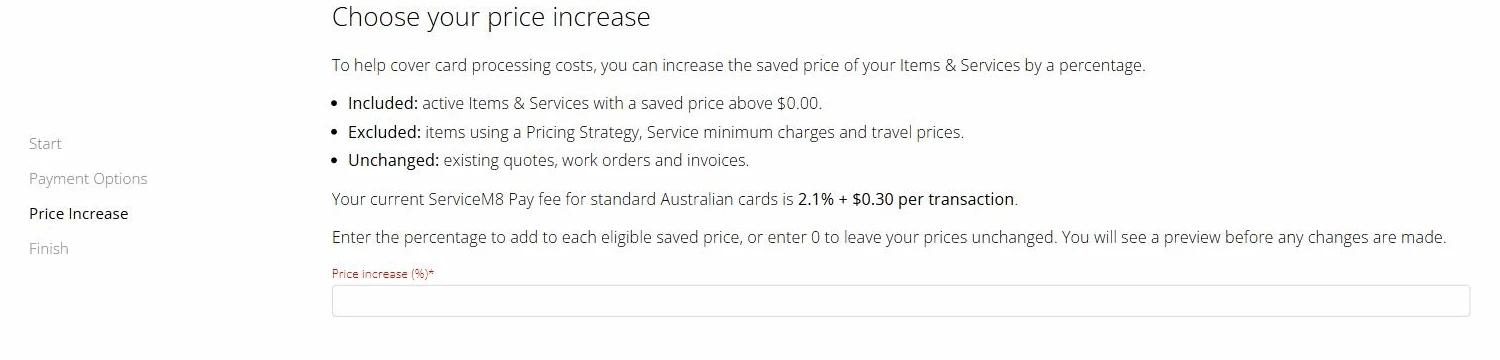
This step raises the saved price of your Items & Services by one percentage. Read the fine print on the screen carefully:
- Included: active Items & Services with a saved price above $0.00.
- Excluded: items using a Pricing Strategy, Service minimum charges and travel prices.
- Unchanged: existing quotes, work orders and invoices.
It also shows your current ServiceM8 Pay fee, which makes it a handy place to check your rate. Enter 0 to leave prices alone. Enter a percentage and you get a preview before anything is applied. ServiceM8 warns that the change can’t be undone, so export your price list first.
We stopped at this screen. Entering a figure would have changed the live price list in our account, and the right number is different for every business. Use the “share of revenue paid by card” maths above rather than typing in 2.1.
Step 4: Finish
The last step confirms what you’ve chosen. Because excluded items don’t move, check your Pricing Strategy items, minimum charges and travel prices by hand afterwards. Those are often the prices that matter most on a service call.
Five things to change before 1 October (outside ServiceM8)
The software handles the payment. It won’t fix everything else that still says “surcharge”.
- Your website. Search your site for “surcharge”, “card fee” and “1.5%”. It usually sits on the contact page, the FAQ, the pricing page and the footer. If your site lists prices or “from” rates, update them at the same time as your price list so they match.
- Quote and invoice templates. Check the terms block at the bottom of your ServiceM8 quote and invoice templates. A leftover “card payments attract a surcharge” line on a quote sent in October is a problem.
- Terms and conditions. Update the payment clause in your T&Cs and any signed service agreements you reuse.
- Google Business Profile and directory listings. Some businesses put payment notes in their profile description or a pinned post.
- What your team says on the phone. Tell whoever answers the phone and the techs taking payment on site. Asking for a card fee at the door after 1 October breaches the card rules.
How to raise prices without losing quotes
A 1% or 2% rise is small enough that most customers won’t notice, provided it’s done cleanly:
- Round to clean numbers. A service call going from $165 to $169 reads better than $168.47.
- Move all the numbers together. The same price should appear on your website, your quote and your invoice. Mismatches cost more trust than the increase does.
- Don’t announce it as a card fee. You’re allowed to raise prices, but framing the rise as “because of card fees” just re-labels the surcharge. Say your pricing now includes all payment methods.
- Offer a cheaper way to pay rather than a penalty. “Pay by PayTo or bank transfer” at the bottom of a large invoice nudges customers without adding a fee.
If you’d rather your quotes, invoices and payment follow-ups ran themselves, that’s what our automation work sets up for trade businesses, whether you’re on ServiceM8, Tradify or something else. Still choosing a job management system? Our comparison of ServiceM8 vs Tradify covers how each one charges.
Where Web Blend stands
We don’t sell payments, so we don’t mind which way your customers pay. Our honest read: this is a pricing decision disguised as a compliance deadline. Surcharge wording on a website or quote after 1 October is the part most likely to catch trade businesses out, and it’s also the quickest part to fix. Then do the maths on your card share, set a sensible card limit, switch on PayTo, and move your prices once, cleanly, rather than absorbing the fee for a year and hoping.
Update, 1 October 2026: the ATO has responded to the ban by dropping credit cards altogether after 30 November. Here’s what the ATO change means for trade businesses, including your BAS and the T&Cs to check.
Checked on 14 September 2026 against the RBA’s March 2026 conclusions paper and FAQ, ServiceM8’s help centre articles on card surcharge changes and PayTo, and the wizard in our own ServiceM8 account. Fees shown are the ServiceM8 Pay rates displayed in our account. Your plan may differ, so check the Price Increase screen for your own rate.